01 — Method
Why the CAD is a script
Every dimension on this arm is wrong until it is built. Link length trades against reach and against the torque the shoulder has to hold. The head mast height depends on a camera module whose real extents were not obvious from its spec sheet. Change one number and half the assembly should move.
In a normal parametric model, that means fighting a timeline: a sketch constraint fails, a downstream extrude loses its face, and you spend the afternoon repairing history instead of designing. So the arm is not a model — it is a generator.
# RIG-Arm — parametric Fusion 360 assembly generator
#
# Builds the whole arm as BRep solid bodies (via TemporaryBRepManager)
# with as-built revolute joints. No sketches, no extrude history
# -> tiny timeline, fast viewport, and every joint is draggable.
#
# Run:  Utilities > ADD-INS > Scripts and Add-Ins > Scripts > RIGArm > Run
# Edit the PARAMETERS block, re-run, and it builds a fresh document.
The whole design is a PARAMETERS block in millimetres
followed by code that builds solids directly. Re-running produces a fresh
document in seconds. There is no history to repair because there is no
history — and because the joints are created as-built revolute joints,
the regenerated assembly is immediately draggable for reach checks.
You give up interactive modelling. You cannot grab a face and push it. In exchange, a design iteration costs one number and one re-run, and the model can never end up in a broken intermediate state. For a machine whose proportions are genuinely undecided, that is the right side of the trade.
02 — Geometry & 3D Assembly
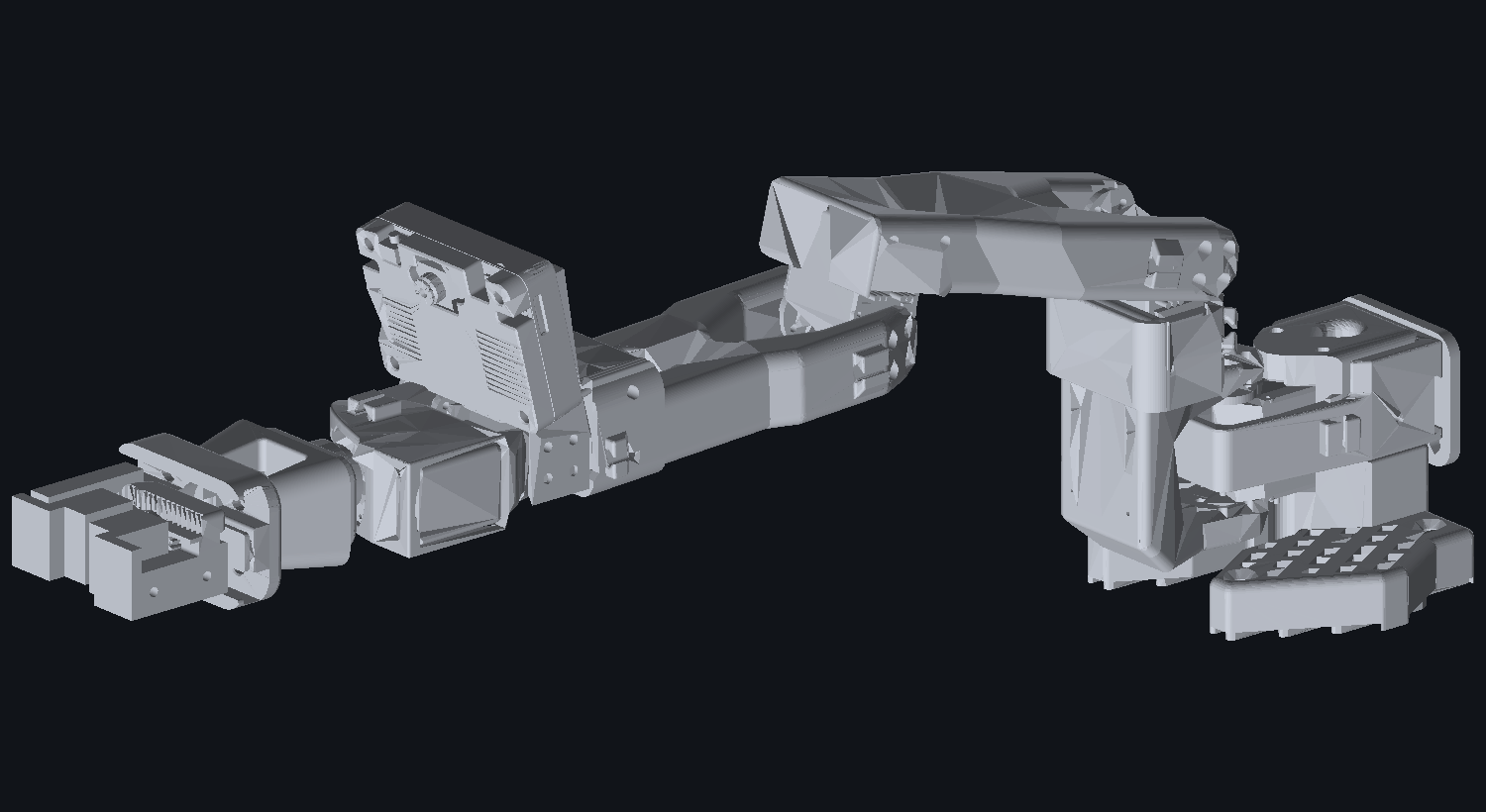
The kinematic chain & interactive model
Eight actuated degrees of freedom from base to jaw, plus a two-axis head mast carrying the vision module.
| Segment | Value | Note |
|---|---|---|
| Base diameter | 190 mm | Turntable 140 mm on top of it |
| Yaw bearing plane | 40 mm | Top face of the base |
| Shoulder pivot height | 130 mm | Carried in a two-plate yoke |
| Upper arm | 150 mm | Shoulder pivot → elbow pivot |
| Forearm | 140 mm | Elbow pivot → wrist pitch pivot |
| Forearm roll offset | 66 mm | Elbow pivot → roll joint |
| Wrist | 42 mm | Wrist pitch → wrist roll |
| Gripper base | 34 mm | Wrist roll → jaw pivots |
| Jaw length | 58 mm | 16 mm half gap |
Interactive 3D STEP model
The complete assembly converted from RIG-Arm.step and rendered directly in WebGL via Three.js with realistic PBR materials matching the physical build. Rotate, zoom, pan, and inspect joints:
Loading the parts list…
The shoulder is doubled on purpose
The shoulder is the joint that holds the entire arm's weight at maximum moment arm — 150 mm of upper arm plus 140 mm of forearm plus wrist, gripper and payload, all levering on one pivot. A single MG996R is not enough, so the shoulder uses two servos in a yoke, mirrored across an 8 mm plate pair with a 26 mm inner half-gap.
That doubling is also why the base is 190 mm across and the turntable is 140 mm. A tall arm on a small base tips, and the failure mode of a tipping arm is that it falls on the thing it was reaching for.
03 — Views
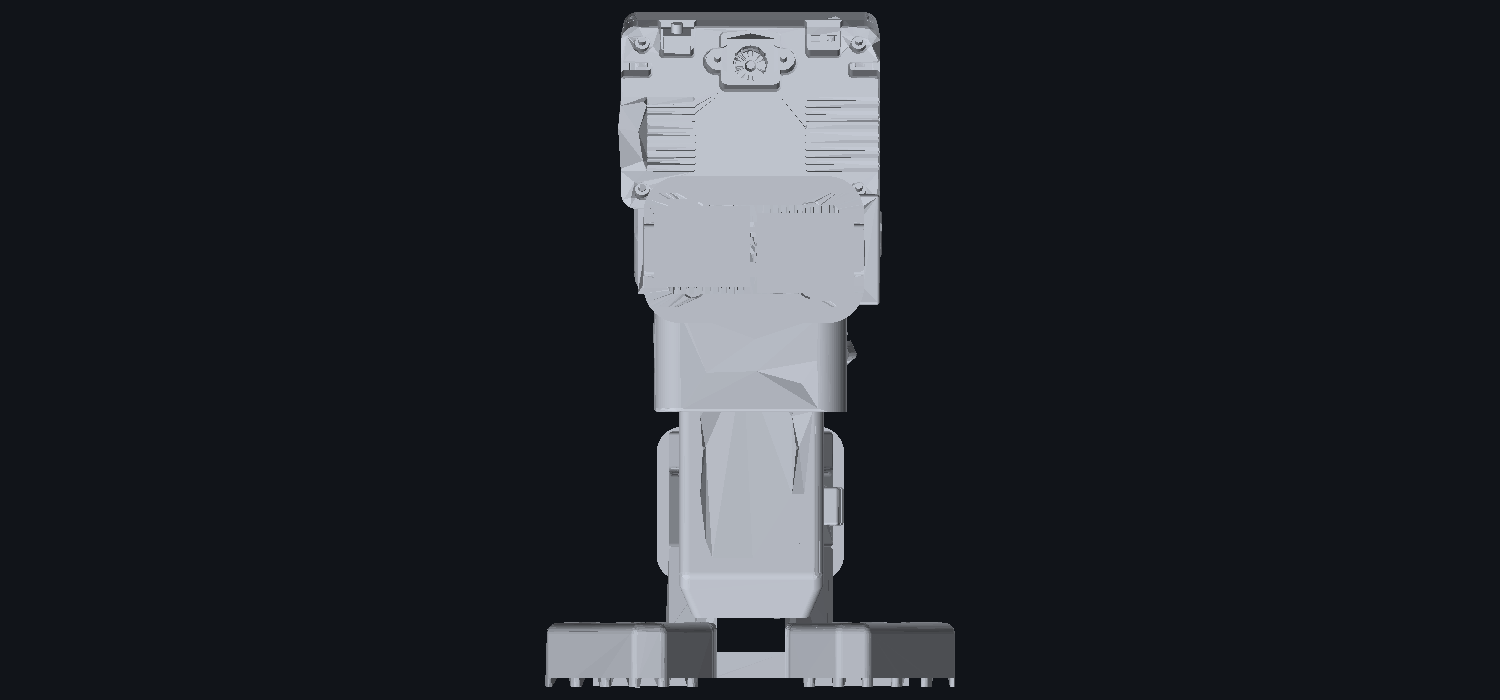
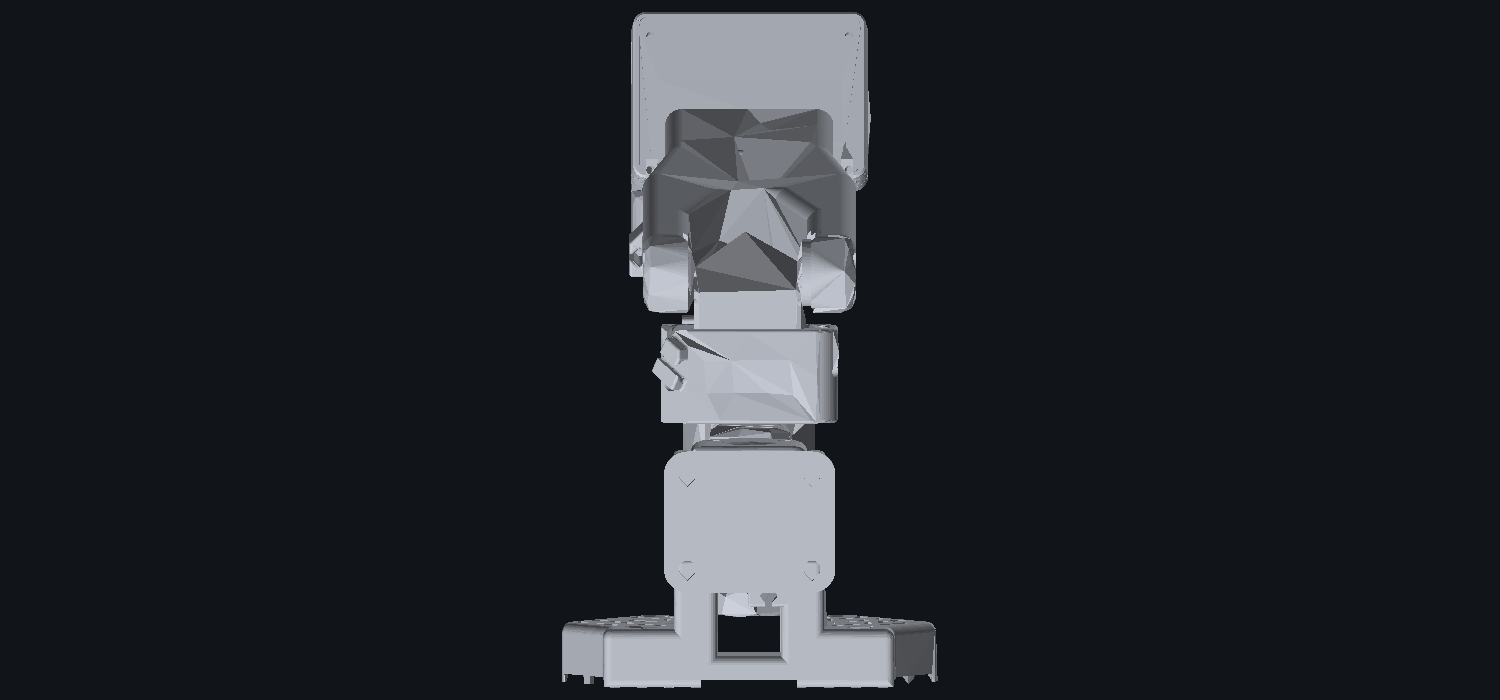
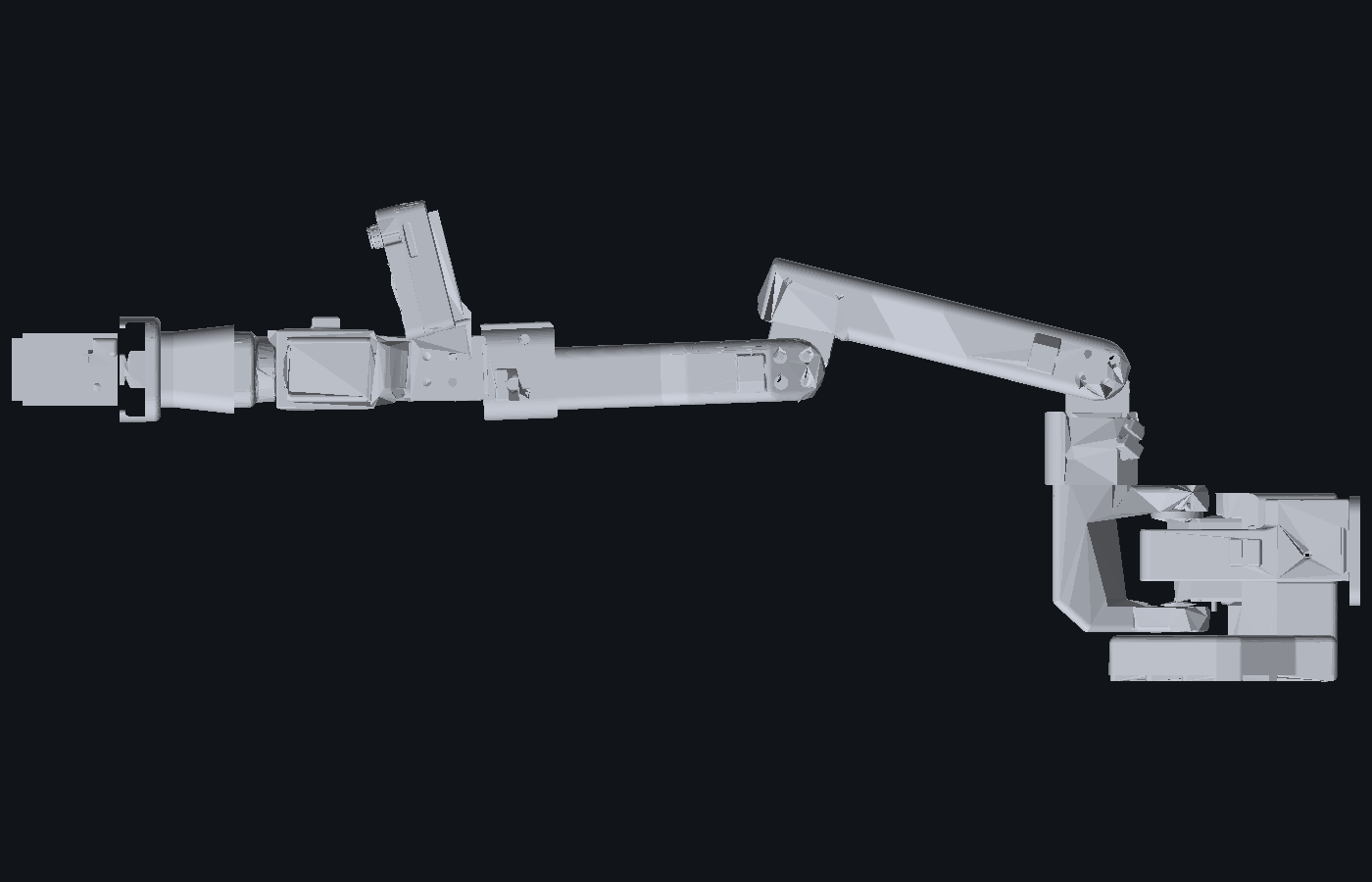
Studio assembly views
Front and rear projections showing the vision head mount, dual shoulder yoke, and mechanical clearances verified in the collision audit.
04 — Actuation & Schematics
Two buses, one arm
The obvious move is to pick one servo family and use it everywhere. I did not, because the two families are good at genuinely different things and the arm needs both.
| Bus | Servo | Qty | Joints |
|---|---|---|---|
| PWM via PCA9685 |
MG996R / DSS-M15S | 5 | Base yaw ×1, shoulder ×2 (paired), elbow ×1, forearm roll ×1 |
| Half-duplex serial one wire, 1 Mbps |
FEETECH SCS0009 | 3 | Wrist pitch, wrist roll, gripper |
| PWM same PCA9685 |
Head pair (MG90S) | 2 | Head pan, head tilt — 7 of 16 channels used total |
Why PWM at the base
The big joints need torque and they need it cheaply. An MG996R is a commodity part with metal gears and a well-understood stall figure. It takes a 50 Hz pulse and it does not tell you anything back — but for a shoulder that is being commanded to a position and held there, open-loop is acceptable and the price per newton-metre is unbeatable.
Why a serial bus at the wrist
The wrist and gripper need the opposite. A gripper that closes on an object needs to know it has stopped moving before it has reached its commanded position — that is how you detect a grasp instead of stalling into one. Bus servos report position, and they daisy-chain, so three joints at the far end of a moving arm need one three-wire run instead of three separate PWM cables flexing through every joint.

05 — Gotcha
The SCS0009 ID collision
This one cost me time and it is the single most useful thing on this page for anyone else building with FEETECH bus servos.
A bus servo is addressed by its ID. Straight out of the packet, every
one of them is ID 1. My chain already used ID 1 for
shoulder_pan. Plugging a new claw servo onto that chain
puts two devices on the same address — and two devices answering the
same address do not produce a clean error, they produce bus contention
and garbage.
The safe order of operations
-
Isolate the new servo first
Put it alone on a bus with nothing else attached. This is not optional and it cannot be done later — once two devices share an ID, you have no way to address one without the other.
-
Write the new ID
Run the set-ID tool against the isolated servo. Mine went to ID 6, landing after
wrist_flexat ID 4 on the chain. -
Verify on the isolated bus
Ping the new ID and confirm it answers. Ping the old ID and confirm it does not. Both checks matter — a half-written ID is worse than an unwritten one.
-
Only then join the chain
Daisy-chain onto the main bus, sharing its 1 Mbps signalling and its 6.0–7.4 V rail. Confirm the new servo's voltage rating actually covers that rail first: the SCS0009 is specified 4.0–7.4 V, so it does — but check rather than assume, because the rail is shared and the weakest device sets the ceiling.
06 — Power
Power and the safety chain
Eight servos that can all stall simultaneously is a meaningful amount of current, and an arm that can move is an arm that can move somewhere you did not intend.
| Rail | Target | Feeds |
|---|---|---|
| Servo rail | 6 V regulated, 20 A | PCA9685 V+ and the SCS chain |
| Logic rail | 5 V regulated, 3 A min | Microcontroller, camera module |
| PCA9685 logic | 3.3 V | VCC and the I²C pull-ups only |
On a PCA9685, VCC is 3.3 V logic and
V+ is the 5–6 V motor rail. They are
separate supplies that share a ground. Confusing them either does
nothing (servos silent) or destroys the board.

07 — Telemetry & Cockpit
StudyBot live dashboard & vision tracker
The arm runs under the StudyBot robotics bridge with live dual-bus telemetry, an active gripper safety state machine, and real-time vision tracking from the HuskyLens 2 head.
StudyBot Gripper & Vision Telemetry
ESP32-S3 Bridge · SCS Bus 1 Mbps · PCA9685 50 Hz
Safe grip caps torque at 18%, executes a slow closure profile, and auto-torques off after 10s.
| ID | Type | Label | Confidence | Coordinates | Error Vector |
|---|
08 — Detail
Measuring parts you did not design
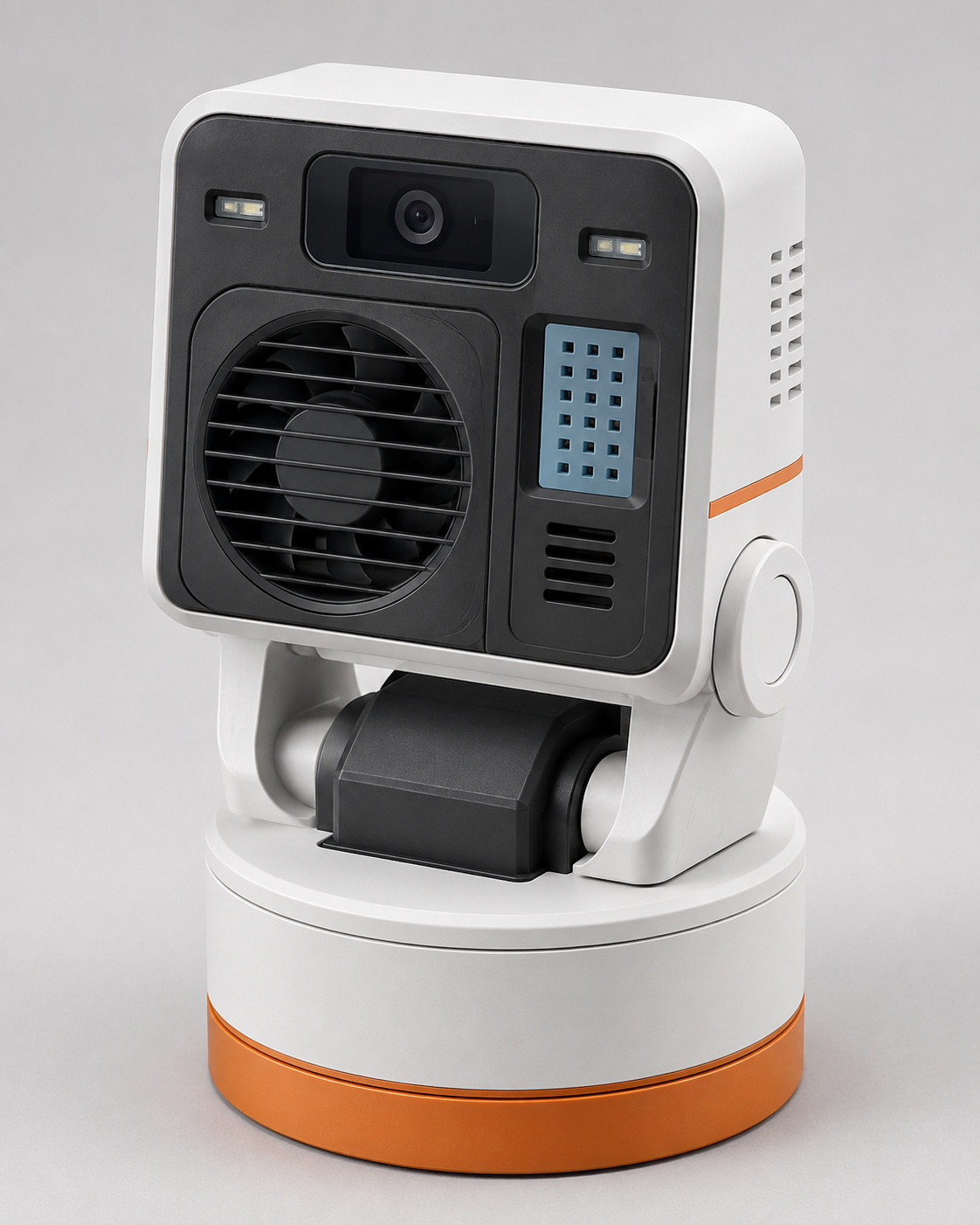
The head mast carries a HuskyLens 2 vision module. Its published spec says the case is 19 mm deep. The actual solid geometry, taken from DFRobot's own STEP file, is 70.39 × 58.49 × 24.21 mm — the extra 5 mm is the lens boss and connectors standing proud of the case.
A mast designed to the 19 mm published figure would have had the lens fouling its own bracket. So the CAD carries the measured numbers, with the source of each one written down next to it:
| Property | Value |
|---|---|
| Solid extents | 70.39 × 58.49 × 24.21 mm |
| Case depth vs. total | 19.0 mm case, 5.2 mm lens boss proud of it |
| Mass | 90 g |
| Primary mounting | 4 × M2 clearance (⌀2.2, ⌀4.1 counterbore) on a 59.00 × 41.00 mm pattern |
| Pattern offset | Centre sits 3.35 mm off the module's geometric centre |
| Secondary mounting | 2 × ⌀3.2 at 15.0 mm spacing on one edge |
| Swing radius | 30.5 mm above the pan turret — sets the 54 mm neck height |
The M2 bolt pattern is not centred on the module. Its centre sits 3.35 mm above the geometric centre. Design a bracket around the module's outline and the holes miss; design it around the pattern and the module hangs off-centre. Both facts have to be in the model, which is exactly the kind of thing a parametric script is good at holding.
The 90 g mass is not trivia either. It sits at the top of a 40 mm mast on a 54 mm neck, which is a real moment on the head pan servo and part of why the neck height is a named parameter rather than a number typed into a sketch.
09 — The app
Pinion, the Mac app that drives it
Everything above describes an arm. Pinion is the native
macOS app written to actually drive it — a real .app
built from one Swift file and a bundle layout, with no Xcode project. It
starts the control server, waits for it to answer rather than guessing a
delay, and shows it in a native window. Closing the window takes the
server down with it, because a stray process still holding the servo bus
leaves the next launch unable to talk to the arm at all.
It also carries the geometry work. The gripper assembly is solved from the features that actually locate the parts — a shared four-bolt pattern matched to 0.000 mm RMS, and a rack and pinion kept in mesh by a test that asserts the contact point rather than by how it looks from one flattering angle.
With no arm plugged in it still opens: you get the 3D model, and it watches the bus and attaches by itself the moment a FEETECH adapter appears.
10 — Status
Where it stands
The CAD generator produces the full assembly with working joints. The bill of materials is written down with each line marked by how much I actually know about it — confirmed on the bench, on hand but not wired, required by the repo but unverified, or still to buy. That distinction is deliberate: a part appearing in CAD is not evidence that it exists in a drawer.
Running now
- Parametric assembly generation with as-built revolute joints and 3D STEP export
- Interactive WebGL 3D model viewer with PBR material shaders
- StudyBot live telemetry & gripper safety state machine
- HuskyLens 2 pan/tilt vision tracking loop
Still open
- Half-duplex interface circuit — direct drive works on the bench, a proper direction/buffer stage belongs on the PCB
- Head servo model decision — MG90S, MG996R or DSS-M15S as one matched pair; firmware currently assumes MG996R
- Bearing and pivot selection — head idler, head pan thrust bearing, base turntable
- Worst-case current measurement — needed before the rail fuse can be sized honestly
Alongside: SO-100 and SO-101
I have also been building and studying the open-source SO-100 / SO-101 arms from the LeRobot ecosystem. Those are a well-tested reference design with a real teleoperation and imitation-learning stack behind them, and having a known-good arm on the bench is what makes it possible to tell whether a problem is in my mechanism or in my expectations.


